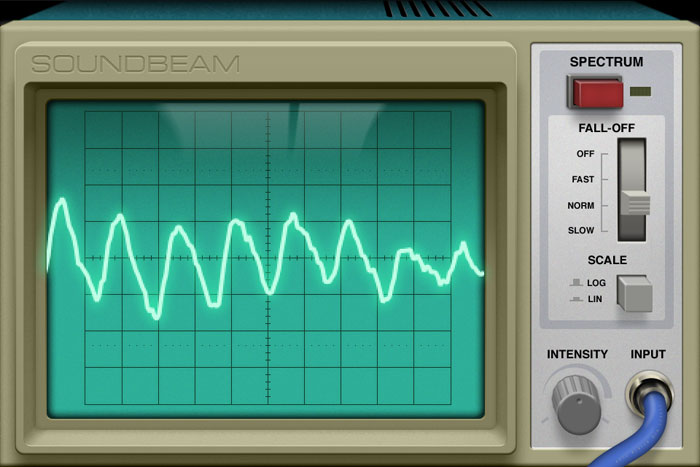
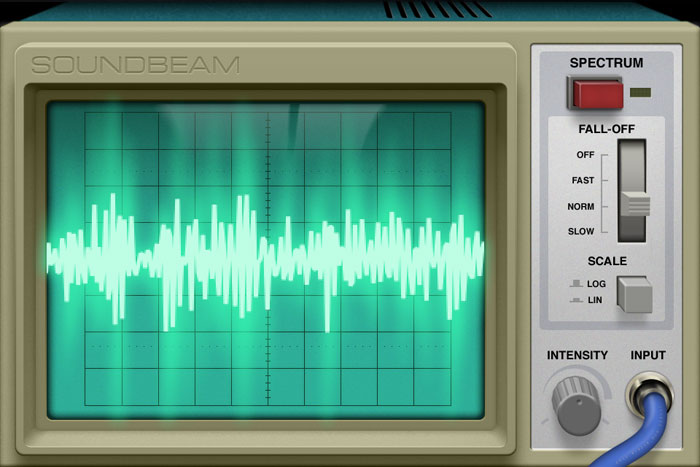

Soundbeam helps you see what everyday sounds look like and visualizes sounds you can't even hear!
We paired stylish controls and an old-school interface with high precision signal processing algorithms, creating a new way to experience sound.
We are dead serious about design. All interface elements have been carefully designed to match a real life oscilloscope device and fully support iPhone's retina display.
You guessed it; Soundbeam's key component is…a beam. You can control the intensity of the glow with a separate control.
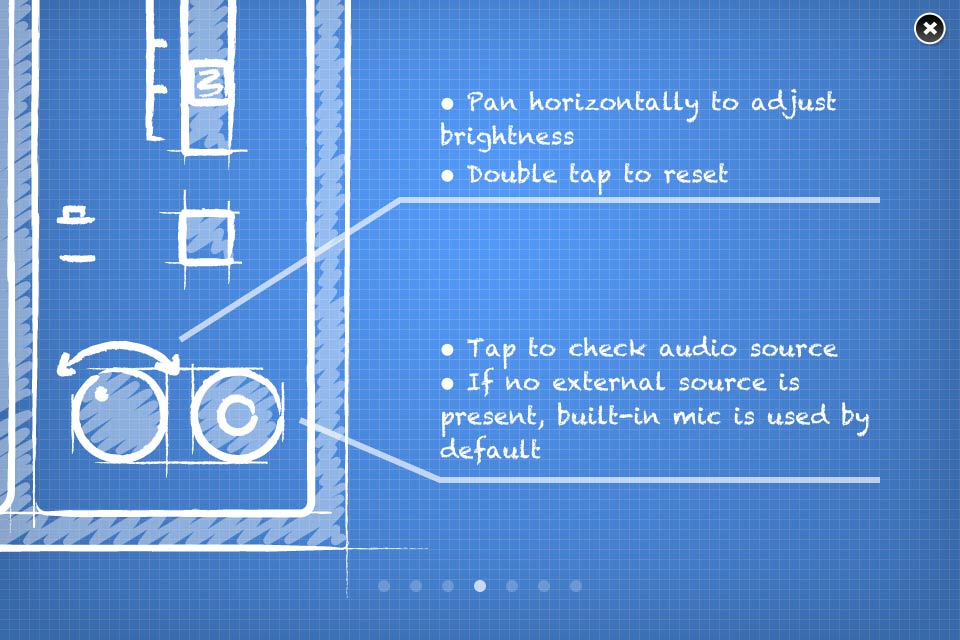
Turn Soundbeam around and adjust some more advanced options!
We are really proud of this little fella; It will guide you through every little aspect of the application!
Your ears can hear sounds with frequencies up to ~19kHz, while your iPhone can pick up sounds up to 22kHz. You're right, Soundbeam can visualize even sounds you cannot hear. Try it!
This means you can zoom in "indefinitely". In math speak, the analysis algorithm consists of 3 Fourier transforms (1024 points each) with 50% overlap.
In any given moment you can switch between Waveform and Spectrum mode. The former displays the audio signal "as-is", whereas Spectrum mode renders its frequencies.
You can adjust the soundwave fall-off speed while in Spectrum mode. Switch to slow mode for smoother animation or fast for a low latency representation. You can always change the frequency scale too, from logarithmic to linear.
Use the intensity knob to control the power of the beam. Higher values produce a neat saturation effect, reminiscent of actual oscilloscope devices.
Plug your headphones or a mic (or any audio source with a common 3,5mm mini-jack) in your iPhone to use them as input.
Soundbeam uses by default your device’s built in microphone. However, you can analyze audio coming from other audio sources that are connected on your device’s mini jack input. For example, you can connect your handsfree. Soundbeam’s interface will display that a “cable” is connected and will analyze the source. When you unplug your handsfree, the app will switch back to the built in mic.
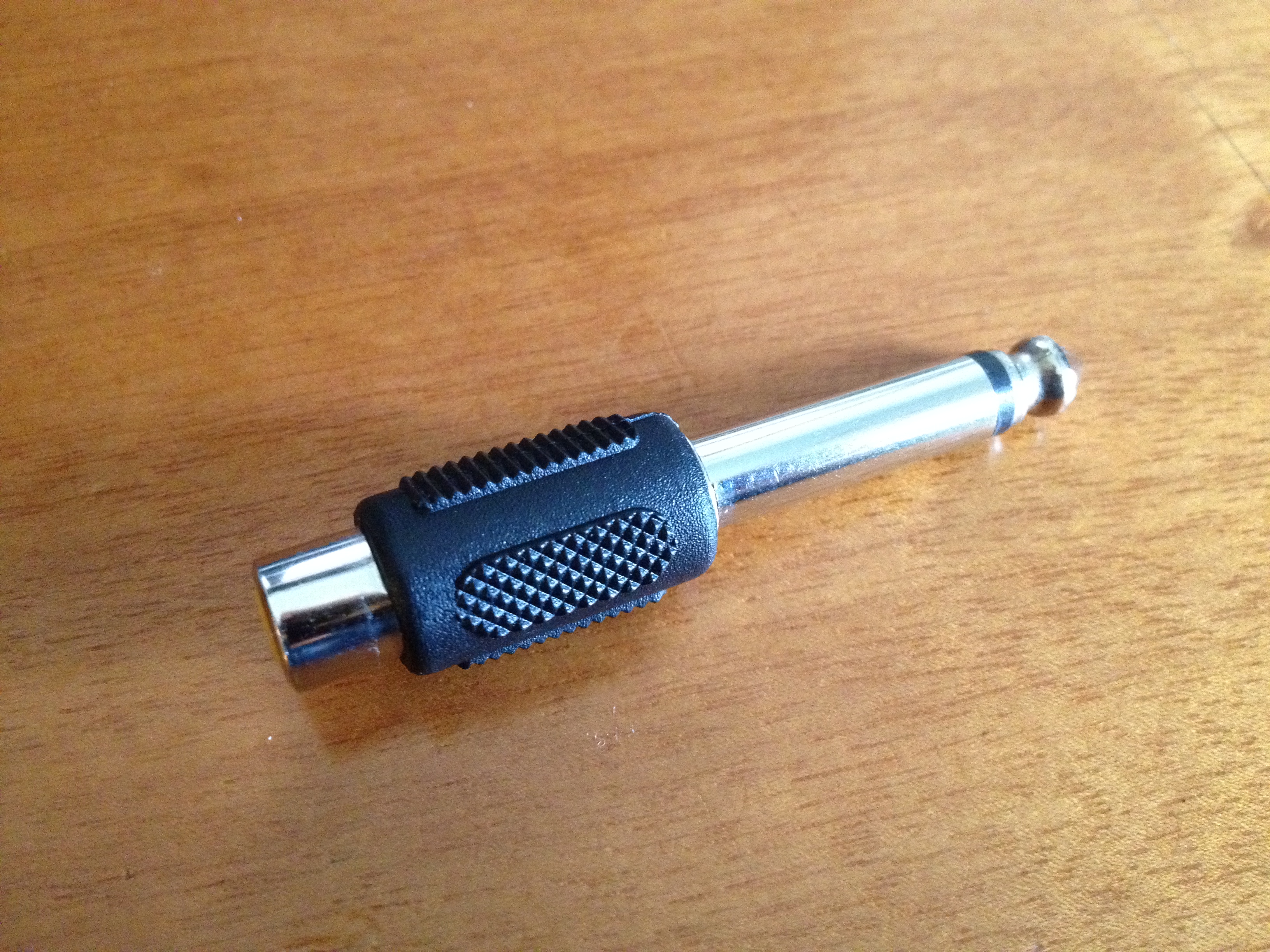
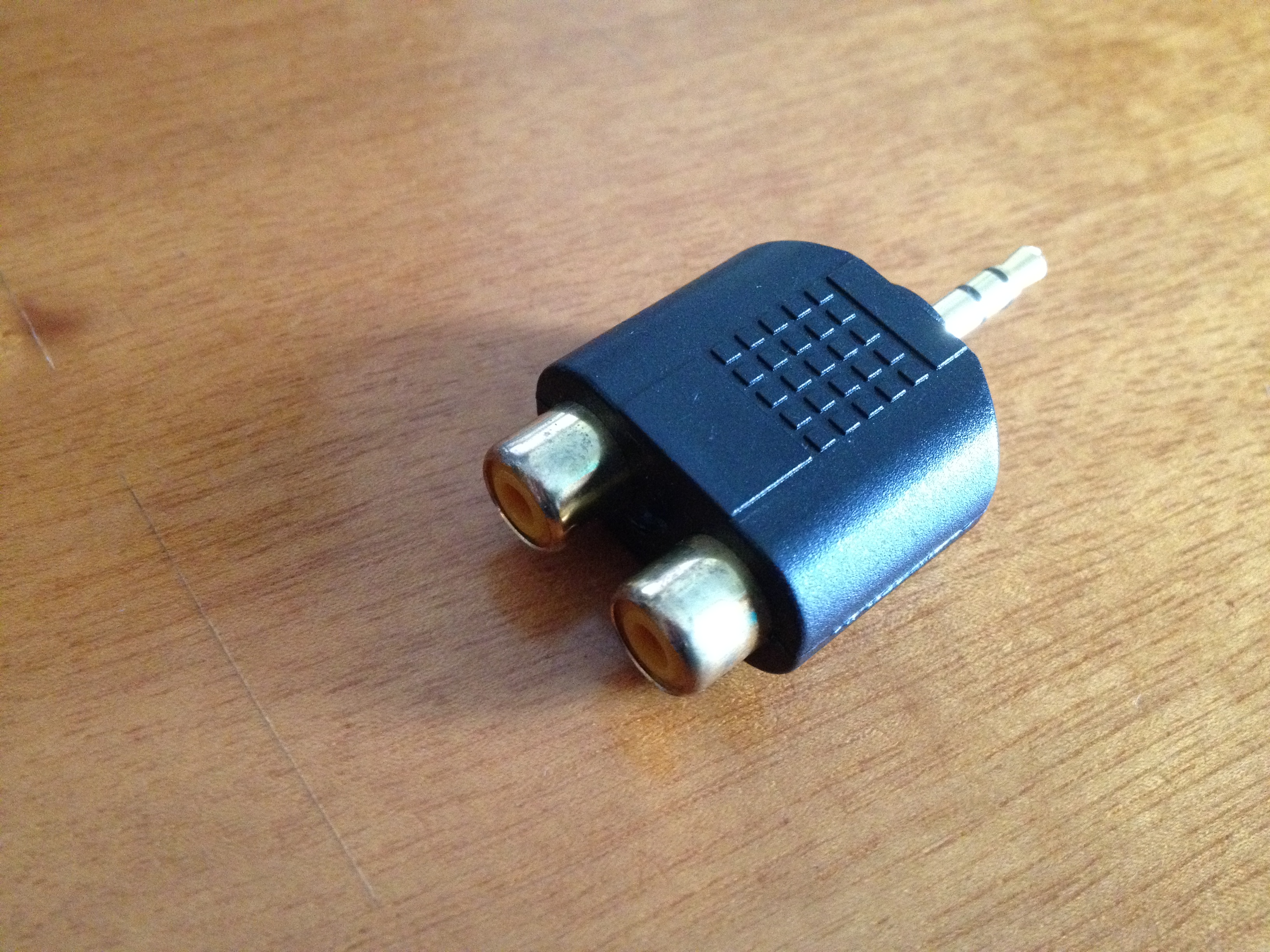
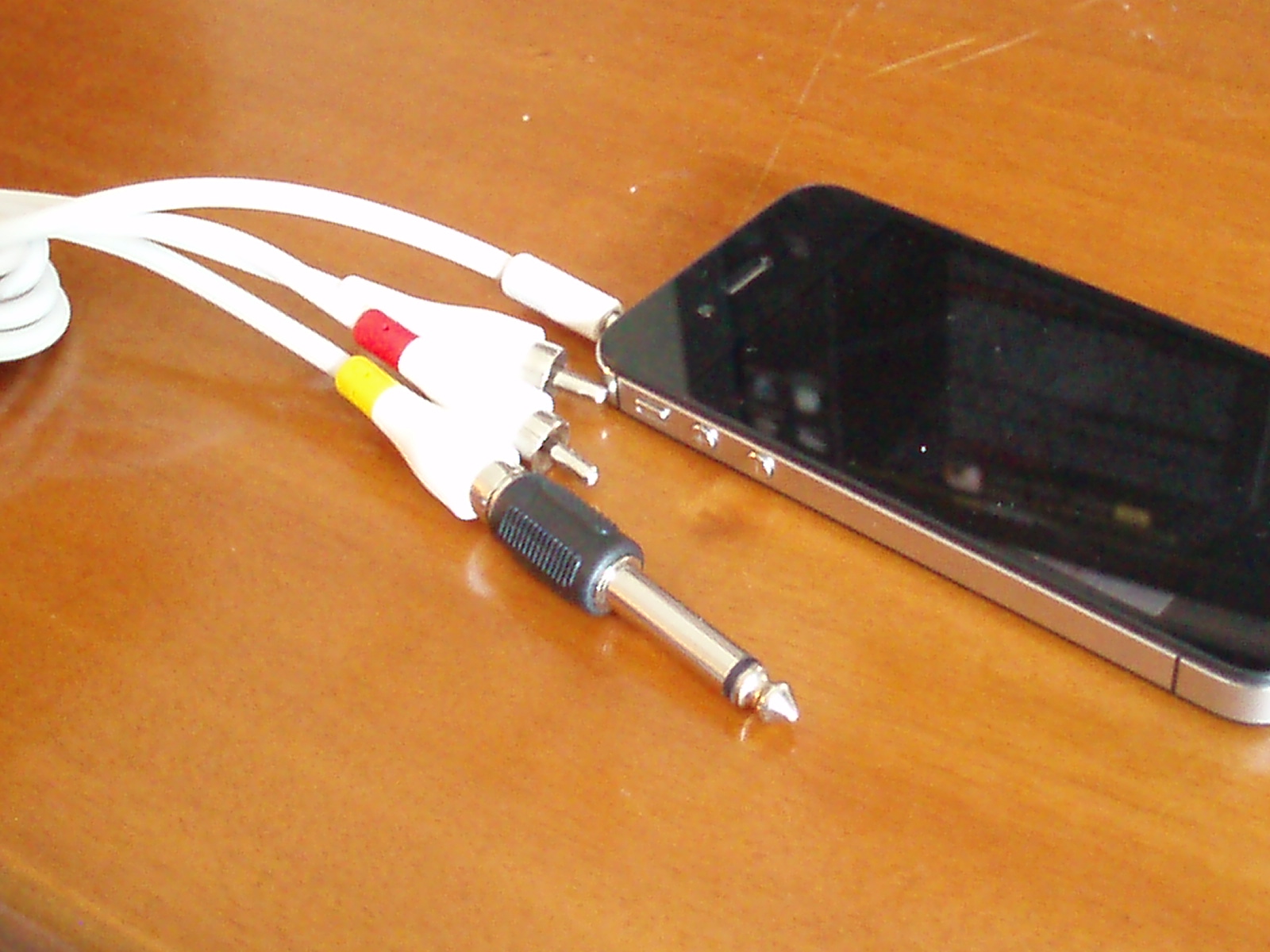
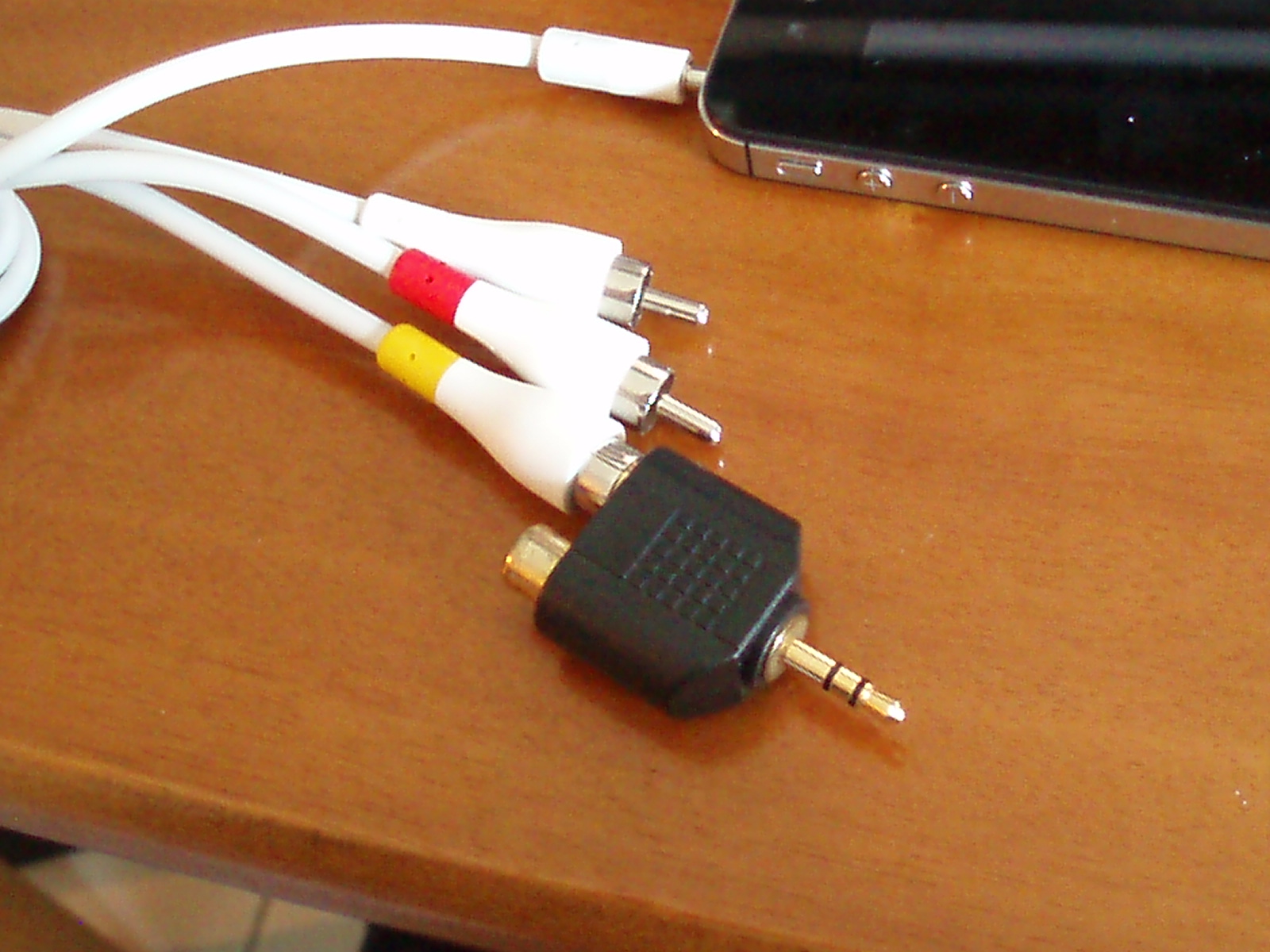
You can also connect an electric guitar or an external mic but you have to use an adapter first. One solution would be to use a high quality commercial adaptor like iRig. Another cheaper way would be to build your own adaptor using the following materials:
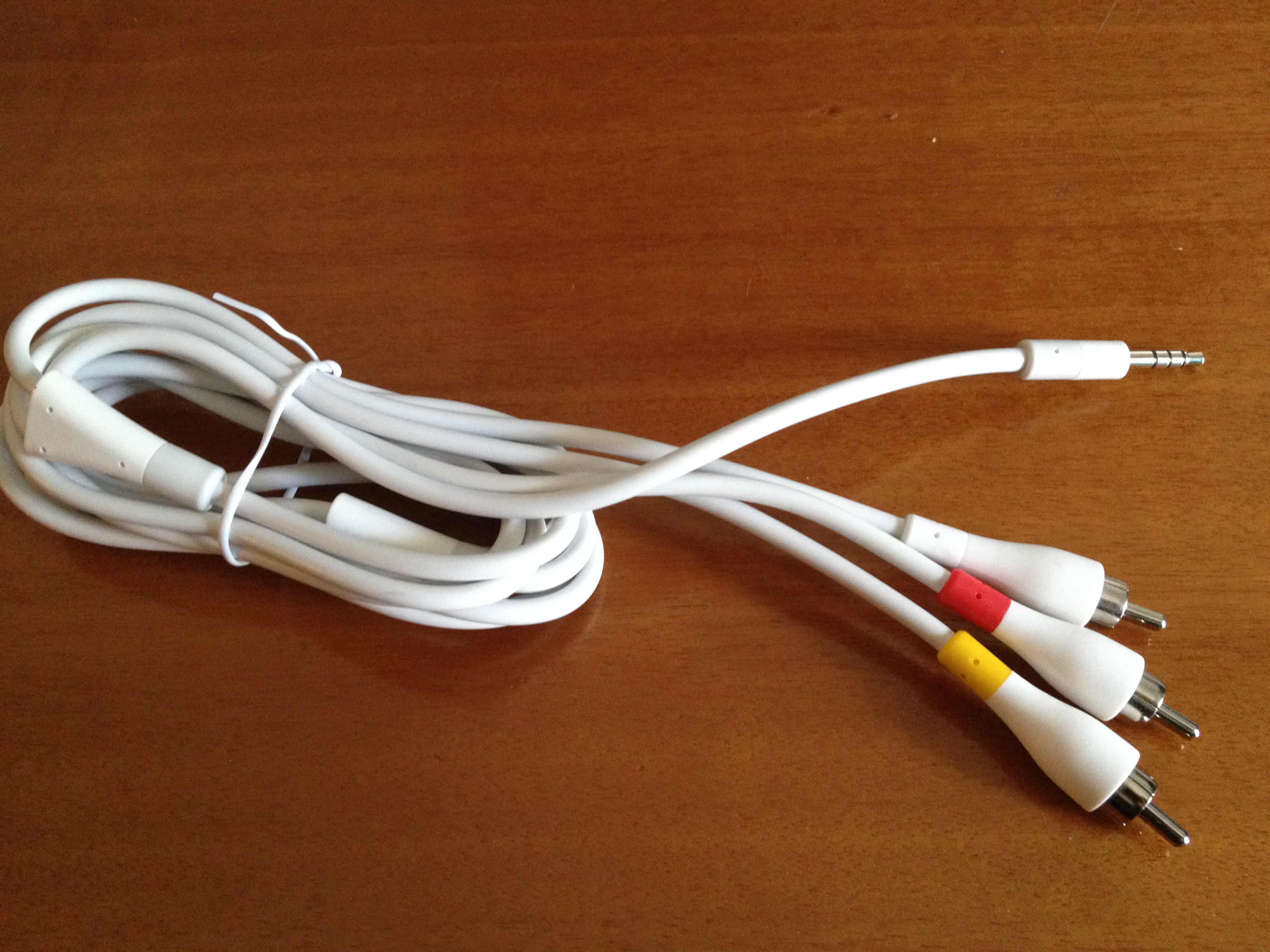
Belkin A/V cable for iPod 4G/5G
& an RCA socket to 1/4″ mono plug adaptor
…or a stereo RCA to to 3,5 mini jack adaptor
Connect the yellow RCA to the adaptor and you’re ready to go!
Find more details in this guide.
A word of warning though. With the above method you’ll be able to connect an electric guitar, an external microphone or get audio from your receiver’s phone output. But you won’t be able to get sound from your computer’s audio output even though the output (mini jack) looks compatible. This is because iPhone expects a certain amount of resistance from the device you’ll connect and line level outputs (like your computers) are incompatible. More on this subject here.
Soundbeam started as a personal project but quickly became apparent that it could be something bigger. So we formed a team of three people: Petros, Stratos and Stelios, each one contributing with his own ideas and skills to the process.
The interface and icons of the application have been drawn by Stratos Sifostratoudakis and Petros Douvantzis (aka Petrakeas) & Stelios Petrakis (aka Stelabouras) developed it.
Copyright © 2012 Evil Window Dog. All Rights Reserved.